---
jupytext:
  formats: md:myst
  text_representation:
    extension: .md
    format_name: myst
kernelspec:
  display_name: Python 3
  language: python
  name: python3
---
Chapter 2: Draw Circle using Turtle Graphics
Adapted from: “Python Playground: Geeky Projects for the Curious Programmer” by Mahesh Venkitachalam (No Starch Press)
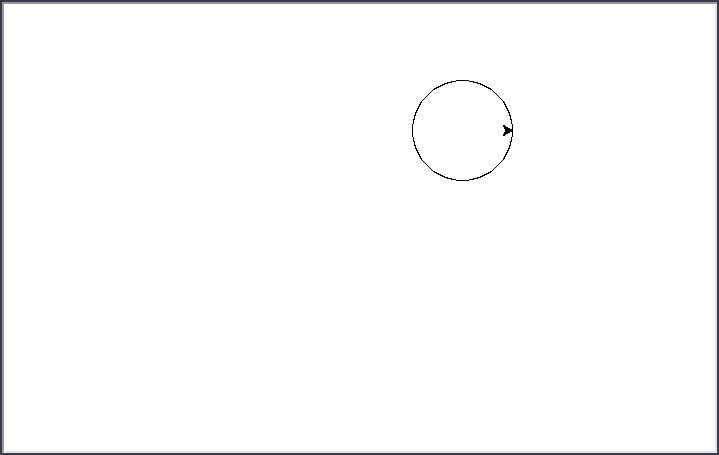
This program demonstrates drawing a circle using turtle graphics. This is very similar to using the LOGO language for years gone by.
In file drawcircle.py
drawcircle.py
import math
import turtle

# draw the circle using turtle
def drawCircleTurtle(x, y, r):
	# move to the start of the circle
	turtle.up()
	turtle.setpos(x + r, y)
	turtle.down()

	# draw the circle
	for i in range(0, 365, 5):
		a = math.radians(i)
		turtle.setpos(x + r * math.cos(a), y + r * math.sin(a))

drawCircleTurtle(100, 100, 50)
turtle.mainloop()
The above program is directly into Jupyter Lab and executed by the Python Kernel:
Load and Run the Program in Jupyter Lab
import os
root_dir = ""
root_dir = os.getcwd()
code_dir = root_dir + "/" + "Python_Code/Chapter_2/"os.chdir(code_dir)# %load drawcircle.py
import math
import turtle
# draw the circle using turtle
def drawCircleTurtle(x, y, r):
# move to the start of the circle
turtle.up()
turtle.setpos(x + r, y)
turtle.down()
# draw the circle
for i in range(0, 365, 5):
a = math.radians(i)
turtle.setpos(x + r * math.cos(a), y + r * math.sin(a))
drawCircleTurtle(100, 100, 50)
turtle.mainloop()A window opens up with the output. The output is saved to an image file.
from IPython.display import display
from PIL import Image
img_PIL = Image.open(r'Images/drawcircle.png')
display(img_PIL)