---
jupytext:
  formats: md:myst
  text_representation:
    extension: .md
    format_name: myst
kernelspec:
  display_name: Python 3
  language: python
  name: python3
---
Chapter 2: Draw Spiro using Turtle Graphics
Adapted from: “Python Playground: Geeky Projects for the Curious Programmer” by Mahesh Venkitachalam (No Starch Press)
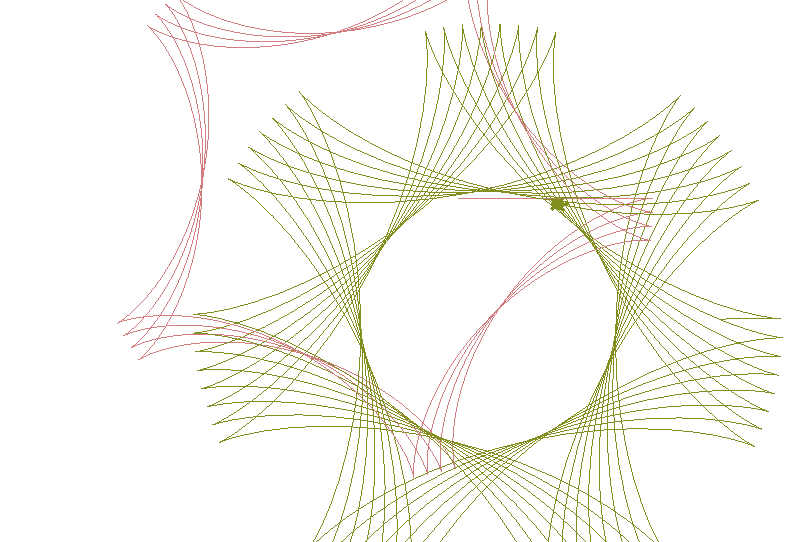
This program demonstrates drawing a spirograph using turtle graphics. This is very similar to using the LOGO language for years gone by.
In file spiro.py
spiro.py
import sys, random, argparse
import numpy as np
import math
import turtle
import random
from PIL import Image
from datetime import datetime
#from fractions import gcd

# a class that draws a Spirograph
class Spiro:
	# constructor
	def __init__(self, xc, yc, col, R, r, l):

		# create the turtle object
		self.t = turtle.Turtle()
		# set the cursor shape
		self.t.shape('turtle')
		# set the step in degrees
		self.step = 5
		# set the drawing complete flag
		self.drawingComplete = False

		# set the parameters
		self.setparams(xc, yc, col, R, r, l)

		# initialize the drawing
		self.restart()

	# set the parameters
	def setparams(self, xc, yc, col, R, r, l):

		# The spirograph parameters
		self.xc = xc
		self.yc = yc
		self.R = int(R)
		self.r = int(r)
		self.l = l
		self.col = col
		# Reduce r/R to its smallest form by dividing with the GCD
		gcdVal = math.gcd(self.r, self.R)
		self.nRot = self.r // gcdVal
		# get ratio of radii
		self.k = r / float(R)
		# set the color
		self.t.color(*col)
		# store the current angle
		self.a = 0

	# restart the drawing
	def restart(self):
		# set the flag
		self.drawingComplete = False
		# show the turtle
		self.t.showturtle()
		# go to the first point
		self.t.up()
		R, k, l = self.R, self.k, self.l
		a = 0.0
		x = R*((1-k)*math.cos(a) + l*k*math.cos((1-k)*a/k))
		y = R*((1-k)*math.sin(a) + l*k*math.sin((1-k)*a/k))
		self.t.setpos(self.xc + x, self.yc + y)
		self.t.down()


	# draw the whole thing
	def draw(self):
		# draw the rest of the points
		R, k, l = self.R, self.k, self.l
		for i in range(0, 360*self.nRot + 1, self.step):
			a = math.radians(i)
			x = R*((1-k)*math.cos(a) + 1*k*math.cos((1-k)*a/k))
			y = R*((1-k)*math.sin(a) - 1*k*math.sin((1-k)*a/k))
			self.t.setpos(self.xc + x, self.yc + y)
		# drawing is now done so hide the turtle cursor
		self.t.hideturtle()

	# update by one step
	def update(self):
		# skip the rest of the steps if done
		if self.drawingComplete:
			return
		# increment the angle
		self.a += self.step
		# draw a step
		R, k, l = self.R, self.k, self.l
		a = math.radians(self.a)
		x = self.R*((1-k)*math.cos(a) + 1*k*math.cos((1-k)*a/k))
		y = self.R*((1-k)*math.sin(a) - 1*k*math.sin((1-k)*a/k))
		self.t.setpos(self.xc + x, self.yc + y)
		# if drawing is complete, set the flag
		if self.a >= 360*self.nRot:
			self.drawingComplete = True
			# drawing is now done so hide the turtle cursor
			self.t.hideturtle()


# a class for animating Spirographs
class SpiroAnimator:
	# constructor
	def __init__(self, N):
		# set the timer value in milliseconds
		self.deltaT = 10
		# get the window dimensions
		self.width = turtle.window_width()
		self.height = turtle.window_height()
		# create the Spiro objects
		self.spiros = []
		for i in range(N):
			# generate random parameters
			rparams = self.genRandomParams()
			#  set the spiro parameters
			spiro = Spiro(*rparams)
			self.spiros.append(spiro)
		# call timer
		turtle.ontimer(self.update, self.deltaT)

	# generate random parameters
	def genRandomParams(self):
		width, height = self.width, self.height
		R = random.randint(50, min(width, height)//2)
		r = random.randint(10, 9*R//10)
		l = random.uniform(0.1, 0.9)
		xc = random.randint(-width//2, width//2)
		yc = random.randint(-height//2, height//2)
		col = (random.random(), random.random(), random.random())
		return (xc, yc, col, R, r, l)

	# restart spiro drawing
	def restart(self):
		for spiro in self.spiros:
			# clear
			spiro.clear()
			# generate random parameters
			rparams = self.genRandomParams()
			# set the spiro parameters
			spiro.setparams(*rparams)
			# restart the drawing
			spiro.restart()

	def update(self):
		# update all spiros
		nComplete = 0
		for spiro in self.spiros:
			# update
			spiro.update()
			# count completed spiros
			if spiro.drawingComplete:
				nComplete += 1
		# restart if all spiros are complete
		if nComplete == len(self.spiros):
			self.restart()
		# call the timer
		turtle.ontimer(self.update, self.deltaT)

	# toggle turtle cursor on and off
	def toggleTurtles(self):
		for spiro in self.spiros:
			if spiro.t.invisible():
				spiro.t.hideturtle()
			else:
				spiro.t.showturtle()

# save drawings as PNG files
def saveDrawing():
	# hide turtle cursor
	turtle.hideturtle()
	# generate unique filenames
	dateStr = (datetime.now()).strftime("%d%b%Y-%H%M%S")
	fileName = 'spiro-' + dateStr
	print('saving drawing to %s.eps/png' % fileName)
	# get the tkinter canvas
	canvas = turtle.getcanvas()
	# save the drawing as a postscript image
	canvas.postscript(file = fileName + '.eps')
	# use the Pillow module to convert the postscript image file to PNG
	img = Image.open(fileName + '.eps')
	img.save(fileName + '.png', 'png')
	# show the turtle cursor
	turtle.showturtle()

# main() function
def main():
	# use sys.argv if needed
	print('generating spirograph...')
	# create parser
	descStr = """This program draws Spirographs using the Turtle module.
	When run with no arguments, this program draws random Spirographs.

	Terminology:

	R: radius of outer circle
	r: radius of inner circle
	l: ratio of hole distance to r

	"""

	parser = argparse.ArgumentParser(description = descStr)

	# add expected arguments
	parser.add_argument('--sparams', nargs = 3, dest='sparams', required = False, help = "The three arguments in sparams: R, r, l.")

	# parse args
	args = parser.parse_args()

	# set the width of the drawing window to 80 percent of the screen
	turtle.setup(width = 0.8)

	# set the cursor shape to turtle
	turtle.shape('turtle')

	# set the title to Spirographs!
	turtle.title("Spirographs!")
	# add the key handler to save our drawings
	turtle.onkey(saveDrawing, "s")
	# start listening
	turtle.listen()

	# hide the main turtle cursor
	turtle.hideturtle()

	# check for any arguments sent to --sparams and draw the Spirograph
	if args.sparams:
		params = [float(x) for x in args.sparams]
		# draw the Spirograph with the given parameters
		col = (0.0, 0.0, 0.0)
		spiro = Spiro(0, 0, col, *params)
		spiro.draw()
	else:
		# create the animator object
		spiroAnim = SpiroAnimator(4)
		# add a key handler to toggle the turtle cursor
		turtle.onkey(spiroAnim.toggleTurtles, "t")
		# add a key handler to restart the animation
		turtle.onkey(spiroAnim.restart, "space")

	# start the turtle main loop
	turtle.mainloop()

# call main
if __name__ == '__main__':
	main()
The above program is directly into Jupyter Lab and executed by the Python Kernel:
Display the Program Output in Jupyter Lab
import os
root_dir = ""
root_dir = os.getcwd()
code_dir = root_dir + "/" + "Python_Code/Chapter_2/"os.chdir(code_dir)A window opens up with the output. The output is saved to an image file.
from IPython.display import display
from PIL import Image
img_PIL = Image.open(r'Images/spiro.png')
display(img_PIL)